
How to increase your Laptop Battery’s Life?
This is a interesting tip to increase your Laptop ’s battery life. There is no matter, laptopmanufactures gives you the guarantee about the battery that how long it works. The battery of laptop always stops working very early at some stage in essential research, just like when you are watching a DVD movie.

Follow the few steps to increase the laptop battery’s life:
The screen of your Laptop takes up significant amount of power and you do not require its maximum brightness. You should have to check your system and decrease the screen brightness it to a comfortable point.
Stop your wireless signal when you are not using.
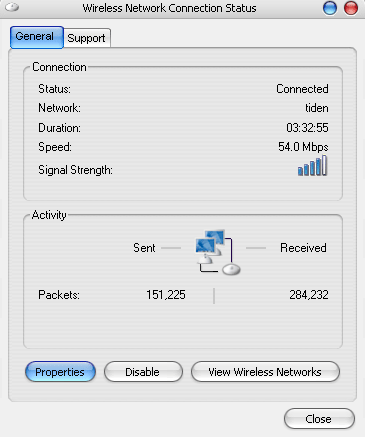
After turning off your Laptop can save max . 20 minutes of your laptop’s battery time because WiFi can use a considerable quantity of power. By right clicking you can stop your WiFi signal when you are not using.
Manage the correct power scheme in XP
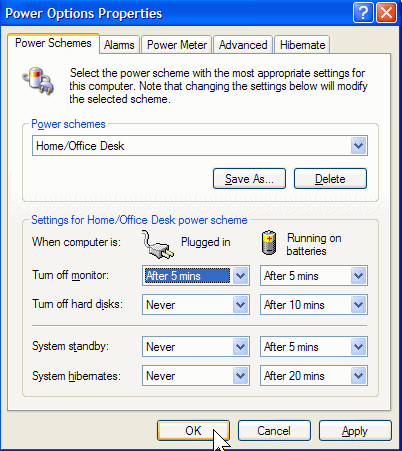
Windows XP contain a number of predetermined power plans, which control settings like how rapidly your laptop turns off and when your screen saver boots in. You can change your laptop power scheme by choosing Control Panel > Power Options. For max. Battery life from the “Power scheme” chooses the option “Max. Battery” and decline the list. There are good choices for you just like “Low Power Mode ” and Portable /Laptop. They don’t conserve as much power as Max Battery. After selecting a power scheme you click Ok button to finish the process.


