
Snapter Ice – This software application lets you use a camera as a scanner
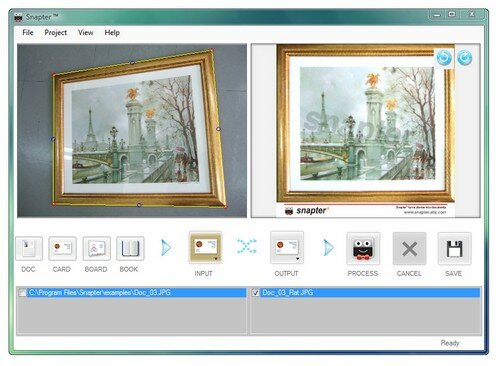
You can turn any physical object into PDF document quickly with Snapter. Record the information around you easily by just snapping a picture and processing it automatically on Snapter.
With Snapter, you can use your digital camera to capture information around you that matters: receipts, business cards, whiteboards in a classroom, posters in a conference, a menu at your favorite restaurant, or even books in a library.
Just take a photo of the document, run it through the Snapter software and you will have an output that looks like it has been scanned through a flatbed scanner.
One-click, instant improvement
Snapter rotates, sharpens, crops, improves color, stretches, and creates a PDF for you. While you may be able to do some of these tasks manually on Photoshop, whywaste life�s precious time?
Snapter rotates, sharpens, crops, improves color, stretches, and creates a PDF for you. While you may be able to do some of these tasks manually on Photoshop, why
There are things you can’t do even if you are a Photoshop pro. For example, you can’t flatten curled book pages and produce easily legible output. Snapter looks simple but it’s got advanced algorithms from years of research that will help convert curled book pages you’ve snapped into flat, nice looking pages.
PDF and dozens more
Easily create PDFs without needing expensive Adobe Acrobat software. JPG, TIFF and other popular formats are also supported. Use Snapter instead and save yourself $$$.
Easily create PDFs without needing expensive Adobe Acrobat software. JPG, TIFF and other popular formats are also supported. Use Snapter instead and save yourself $$$.
Photos from any digital
Limitations:
· After 15 days of trial use, the output will contain a very light watermark


